
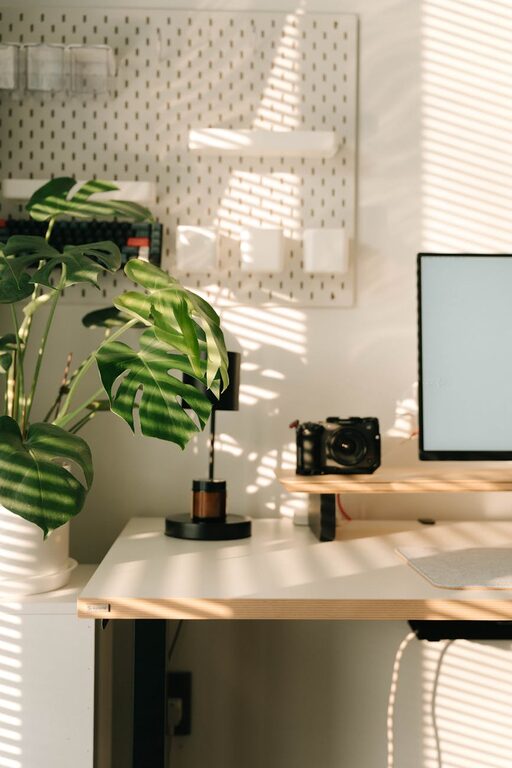
Creating a productive home office environment is essential for anyone who works remotely or spends significant time at home completing professional tasks. A well-designed space can help improve focus, reduce distractions, and boost overall efficiency. Whether you have a dedicated room or a corner in your living area, these tips will guide you in setting up an effective home workspace tailored to your needs.
Choose the Right Location
Finding the best spot in your home for your office is the first step. Consider the following:
– Quiet Area: Select a space away from household noise such as television, kitchen, or busy rooms.
– Natural Light: Opt for a spot near a window to take advantage of daylight; natural light can enhance mood and alertness.
– Space Requirements: Ensure you have enough room for your desk, chair, technology, and storage without feeling cramped.
Invest in Comfortable and Functional Furniture
The right furniture supports both comfort and productivity:
– Ergonomic Chair: Choose a chair that supports good posture with adjustable height and lumbar support.
– Desk: Pick a desk at the appropriate height and size for your work tasks; consider a sit-stand desk if possible.
– Storage Solutions: Use shelves, drawers, or filing cabinets to keep your workspace tidy and organised.
Organise Your Workspace
An organised workspace reduces distractions and increases efficiency.
– Declutter Regularly: Remove unnecessary items from your desk to create a clear area to work.
– Use Organisers: Pen holders, trays, and cable management tools help keep items neatly arranged.
– Digital Organisation: Manage your files and emails with folders and labels to minimise time spent searching.
Optimize Lighting
Good lighting is key to reducing eye strain and maintaining energy throughout the day.
– Balanced Lighting: Combine natural light with ambient, task, and accent lighting.
– Task Lighting: Use adjustable desk lamps to illuminate specific areas when working on detailed tasks.
– Avoid Glare: Position screens and lights to prevent reflection or glare that can cause discomfort.
Minimise Distractions
Creating boundaries and limits enhances your concentration.
– Separate Work and Leisure: Use physical or visual cues to signal work time, such as closing a door or using a screen divider.
– Set Boundaries with Household Members: Let family or housemates know your working hours and the need for quiet.
– Limit Digital Interruptions: Turn off non-essential notifications and use focus or ‘do not disturb’ modes on devices.
Personalise Your Space
Adding some personal touches can make your home office more inviting and motivating.
– Plants: Indoor plants improve air quality and add a calming vibe.
– Artwork or Photos: Choose pieces that inspire or comfort you.
– Colour: Use colours that promote productivity, such as soft blues or greens.
Establish a Routine
Consistency helps reinforce productivity habits.
– Set Working Hours: Keep regular start, break, and finish times.
– Include Breaks: Schedule short breaks to stretch, walk around, or rest your eyes.
– Plan Your Day: Use to-do lists or planning tools to prioritise tasks.
Use Technology Wisely
Technology is both a help and a distraction; managing it well is important.
– Quality Equipment: Invest in reliable internet, a good computer, and peripherals like keyboards and mice.
– Software Tools: Use apps for time management, note-taking, or communication to streamline work.
– Backup Data: Regularly save your work and use cloud storage to avoid data loss.
Maintain a Healthy Work-Life Balance
Finally, avoid working all hours and maintain balance to prevent burnout.
– End-of-Day Routine: Create a ritual that signals the end of your workday, such as tidying your desk.
– Separate Physical Spaces: If possible, change location after work to help mentally switch off.
– Physical Activity: Incorporate exercise to stay healthy and refresh your mind.
—
Setting up a productive home office environment doesn’t require a big budget or perfect space—just thoughtful planning and habits. With these tips, you can create a comfortable, organised, and inspiring area that supports your productivity and makes remote working more enjoyable.